Two-stage drafting
Claude plans the outline from your audience, lesson count, length and tone, then writes each lesson in its own step with the source and outline in view.
Live today
Upload a policy, a deck with speaker notes, an SOP or a meeting transcript. Coursecast plans an outline from your settings, then writes every lesson with the full source in view: narration script, key points, knowledge checks and review notes.
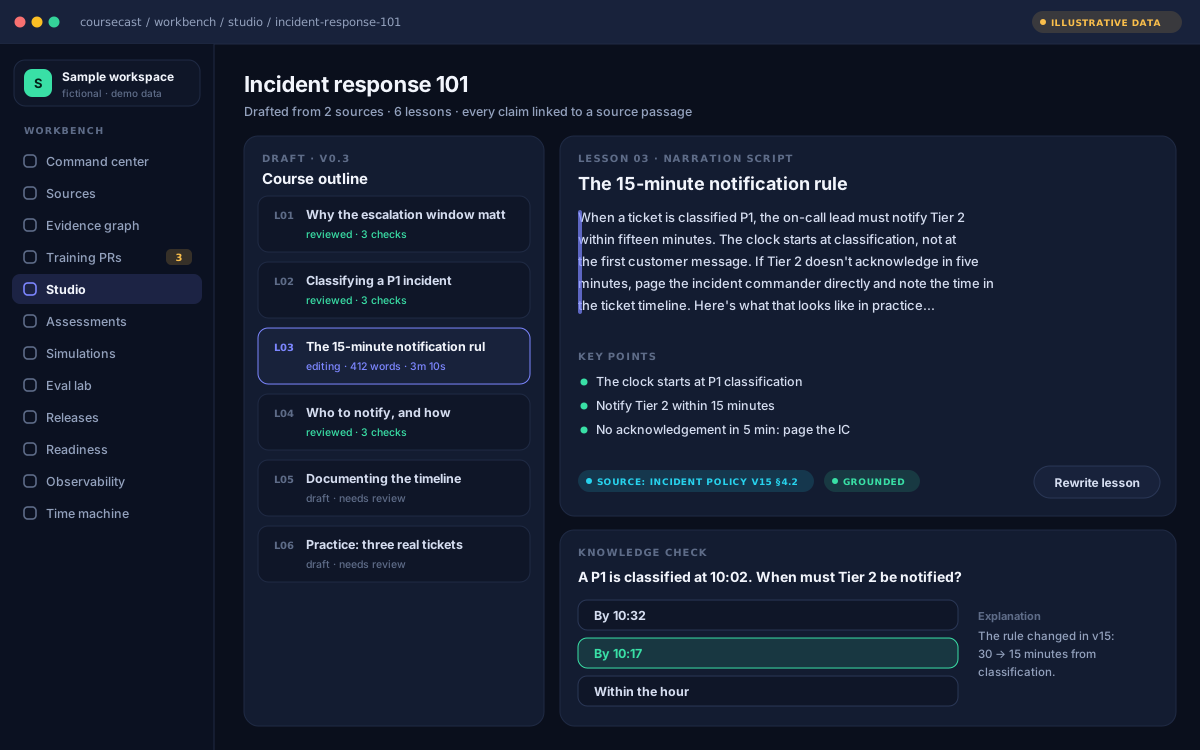
Illustrative preview of the roadmap workbench · fictional sample data
Claude plans the outline from your audience, lesson count, length and tone, then writes each lesson in its own step with the source and outline in view.
PDF, DOCX, PPTX with speaker notes, TXT, Markdown, VTT and SRT transcripts, or pasted text. Up to 8 MB; PDFs up to 40 pages.
Course title, objectives, lesson titles, scripts, key points, questions and answer options. Mark the correct answer with one click.
Ask for a fresh version of a single lesson without redrafting the course. Each draft includes as many rewrites as it has lessons.
Every draft lists gaps in your source and claims an expert should check, so review starts where it matters.
Save courses to a workspace, share them with your team and reuse brand templates.
One focused document works best: a policy, a how-to, a release note, one meeting.
Audience, number of lessons (3 to 8), lesson length and tone.
Lessons appear as they're finished. A five-lesson course usually takes one to three minutes.
Start with the review notes, edit anything, then export to Word, Markdown, scripts or JSON.
Every lesson ships with multiple-choice questions and explanations drawn from your material. Edit any option, mark the…
Every lesson includes a narration script paced at about 130 words per minute, with word count and estimated speaking…
Training is only as current as its sources. Today Coursecast reads your document and flags gaps and claims to check in…
Draft a course from your own document in minutes. The rest of the platform is being built in the open.
Free during early access · No account needed · We don't keep your files